
Workflow Studio & Execution
TestNet provides an online code editor for creating, validating, and executing workflows.
1. Creating & Importing Workflows
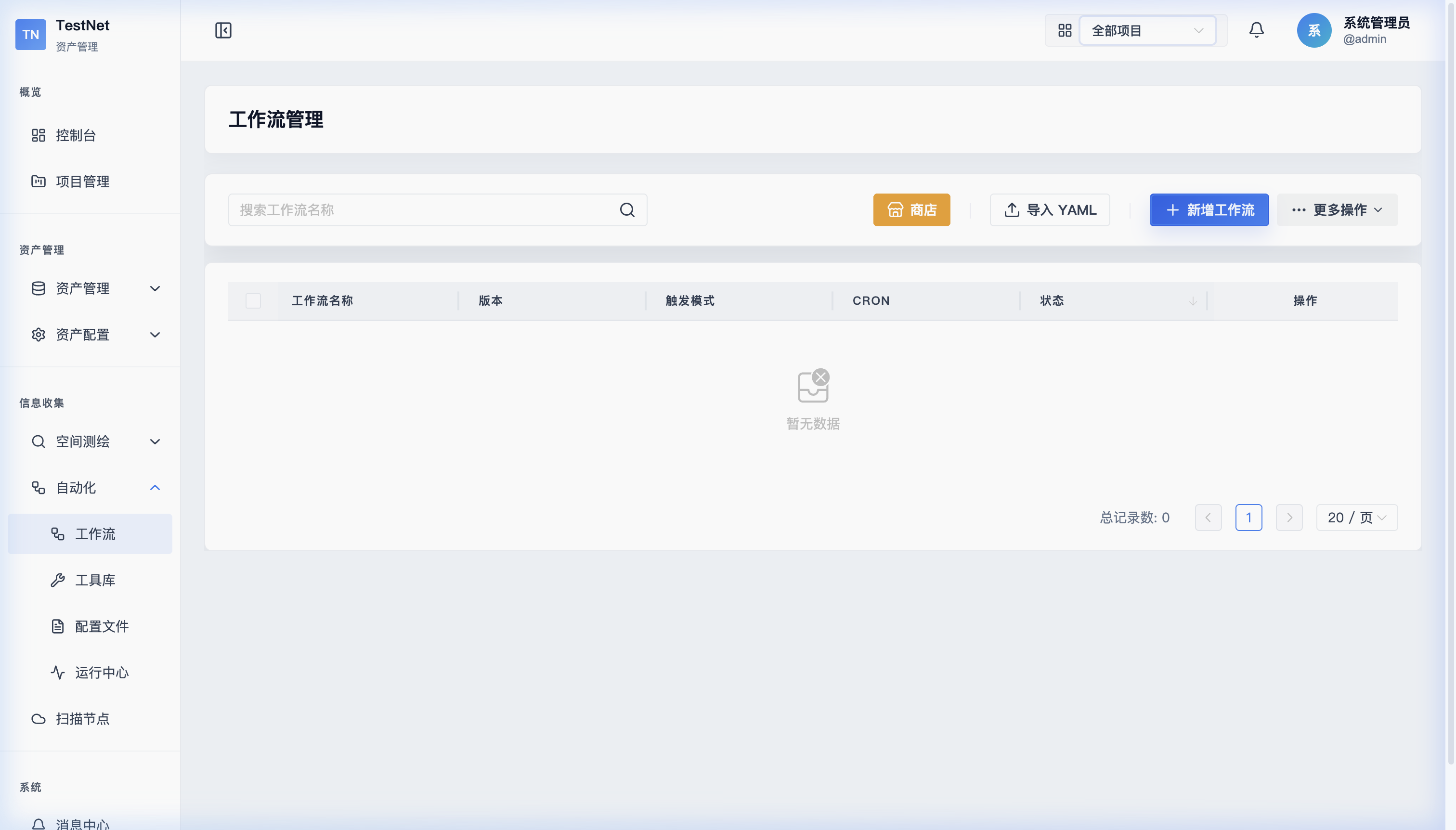
Navigate to "Workflow Management" -> "Workflow List" to manage pipelines:
- New from Scratch: Click "New Workflow" in the top right to generate a YAML template with basic control flow.
- Install from Store: Click "Store" to browse and install 8 preset workflows from the official registry.
- Local Import/Export: Upload existing
.yamlfiles or export your current workflow to share with team members.
2. Online Editor & Live Validation
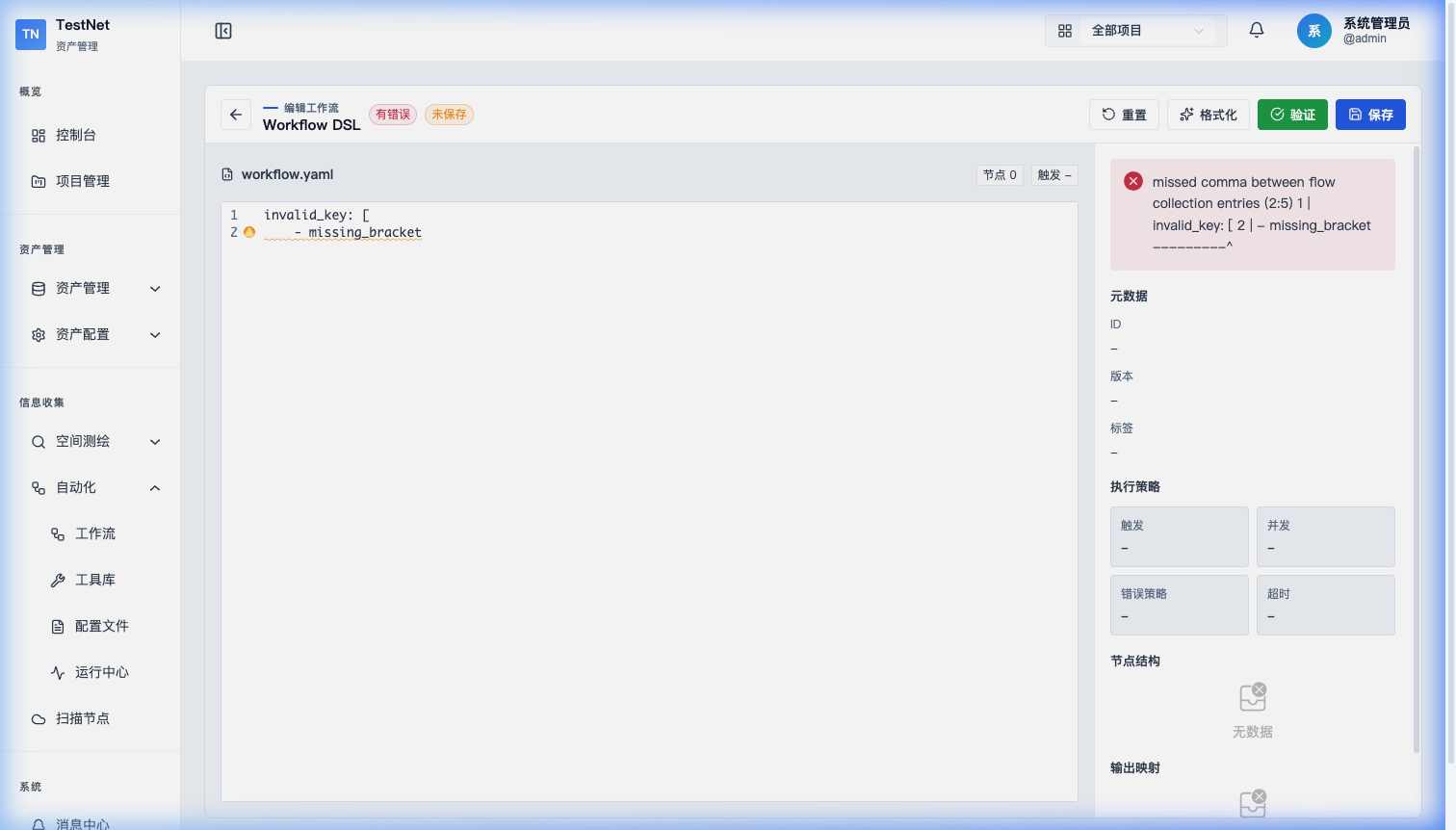
The workflow editor provides real-time syntax validation:
Real-Time Dependency & Syntax Diagnostics
As you type, the system checks your YAML in real time:
- Circular Dependency Detection: Warns if
dependsOnstructures form an infinite cycle; - Dataflow Reference Checks: Verifies cross-step parameter references are valid;
- Auto-completion: Suggests available tools and parameter names.
Verification Panel
Click "Verify & Preview" at the bottom to open the verification panel:
- Execution Tree: Transforms YAML into visual step cards showing dependencies and parallel branches;
- Error Jump: Lists exact line numbers and descriptions. Click to jump to the error.
3. Execution & Parameter Configuration
Once validation passes, click "Run Now" at the top bar to trigger execution.
Target Inputs
An execution modal opens for you to define the target scope:
- Manual Input: Enter target companies, primary domains (e.g.,
testnet-project.com), or CIDR IP ranges; - From Asset Pool: Select existing assets as targets. The system automatically resolves related assets as workflow inputs.
Task Dispatch
Upon confirmation, tasks are dispatched to online scanning nodes:
- Multi-branch tasks are automatically distributed across multiple nodes for parallel execution.
Related Documentation
- Workflow Overview — Core concepts and lifecycle
- DSL Reference — Complete Tool/Workflow YAML syntax
- Custom DSL — Registry structure and custom tool publishing
- Triggers & Logs — Cron scheduling and event-driven triggers
- Node Management — Node pool status and dispatch